
RYSE Installer Guide
Site survey, installation, calibration, pairing and handover for SmartShade, SmartCurtain, SmartBridge, SmartButton and Remote Control. Use the tabs to move between sections, and read every one before taking the certification quiz — the questions draw from all of them.
01 About this guide
How to survey, install, calibrate, pair and hand over RYSE motors, plus first-line fixes.
Key terms
| Term | Meaning |
|---|---|
| Motor | The SmartShade or SmartCurtain unit |
| Bracket | The wall mount a SmartShade clips into |
| Extension bracket | L-shaped spacer for windows with no room, or a chain that runs sideways |
| Bead connector | Clip that joins a beaded chain into a loop. Use only the RYSE one |
| Sprocket | Toothed wheel inside the SmartShade that drives the chain |
| Calibration | Setting the top and bottom (or open and closed) positions |
| Pairing | Linking a motor to the app, a SmartBridge, a button or a remote |
| BIST | Built-In Self-Test. A bench test that also factory resets the motor |
| BatteryPack | The rechargeable battery that clicks under a SmartShade |
| Metal tape | Strip on the curtain rod that SmartCurtain uses as its reference point |
Need help? support@helloryse.com · 8 AM–6 PM Eastern · replies within 24 hours.
02 Job overview
Follow this order on every job.
- Survey every window and agree with the customer: right/left side to mount motor, cable routes and SmartBridge position.
- The day before:
- For SmartShade: charge every BatteryPack and run the Built-In Self-Test (BIST) on each SmartShade.
- For SmartCurtain: charge the 18650 cells.
- On site, photograph each serial label and label each motor with its window.
- Set up the SmartBridge on the customer's phone and RYSE account.
- Install, calibrate and pair one window at a time. Name each motor in the app before moving on.
- Pair buttons and remotes, then link voice assistants.
- Hand over with the checklist and leave the support details.
Golden rules
- Taut chain. A slack chain skips and the shade loses its positions.
- RYSE bead connector only. Others can damage the motor.
- SmartBridge first. Set it up before pairing any motor.
- Delete before reset. Remove a motor from the app before any factory reset.
- Tape by default. Screw holes in a metal frame are permanent.
- Charge cells outside the motor. SmartCurtain cells go in an external 18650 charger only.
- Never promise outcomes. Refunds, replacements and dates are RYSE's decision.
03 Product line-up
All RYSE motors are retrofits. They drive the customer's existing shade chain or curtain rod.
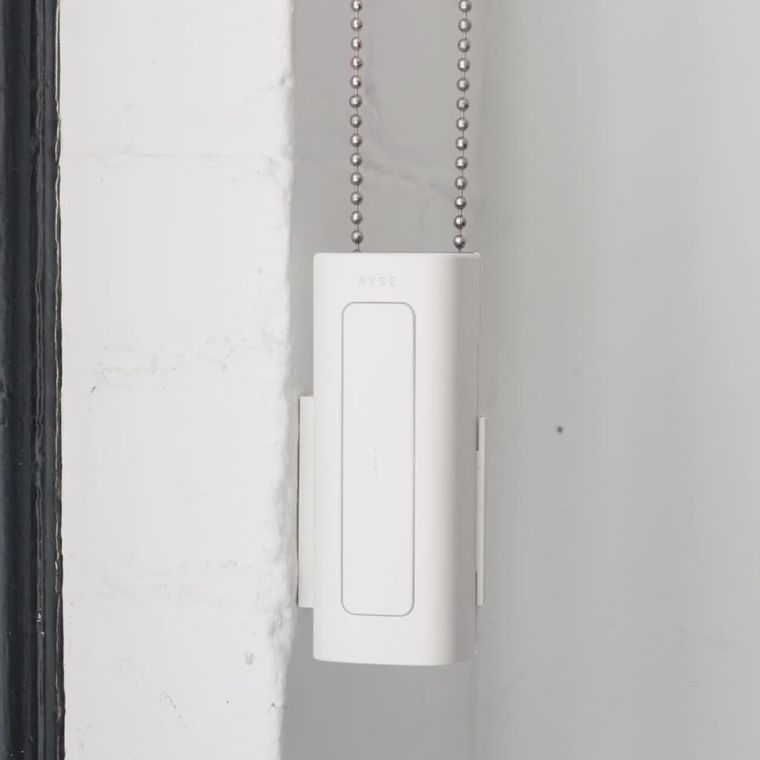
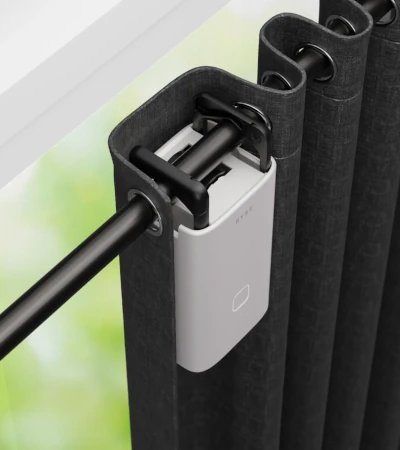
| Product | What it does | Power | Key limits |
|---|---|---|---|
| SmartShade (Wired) | Pulls a shade's beaded chain | 12V plug-in adapter, 9ft cable | #10 beaded chain; shade up to ~9×9ft or 10lb |
| SmartShade (Wire-free) | Same motor, with a BatteryPack underneath | BatteryPack: up to 6 months per charge | Beaded chain, or cord loop on vertical blinds only |
| SmartCurtain | Rides the curtain rod | 2×18650 cells (included) | Rod 15–40mm (lipped 17–38mm); center-opening needs 2 units |
| SmartBridge | Hub for schedules, groups, sharing, remote access and voice assistants | Plug-in adapter | Up to 10 devices; ~30ft range; 2.4GHz Wi-Fi or Ethernet |
| SmartButton | UP and DOWN buttons to control SmartShade or SmartCurtain | CR2450 coin cell | Up to 4 motors; same room |
| Remote Control | 4-channel handheld | 2×AAA | Up to 10 devices, 4 per channel; needs SmartShade firmware 5.0.0+ and SmartCurtain 2.0.0+ |
What works with what
| Control | SmartShade | SmartCurtain |
|---|---|---|
| App over Bluetooth (groups of up to 4) | Yes | Yes |
| App with SmartBridge (schedules, groups of up to 10, remote access) | Yes | Yes |
| Alexa, Google Home, Apple Home (SmartBridge needed) | Yes | Yes |
| SmartButton | Yes | Yes |
| Remote Control | Yes | Yes |
| Z-Wave Adapter | Yes | No |
Tell the models apart
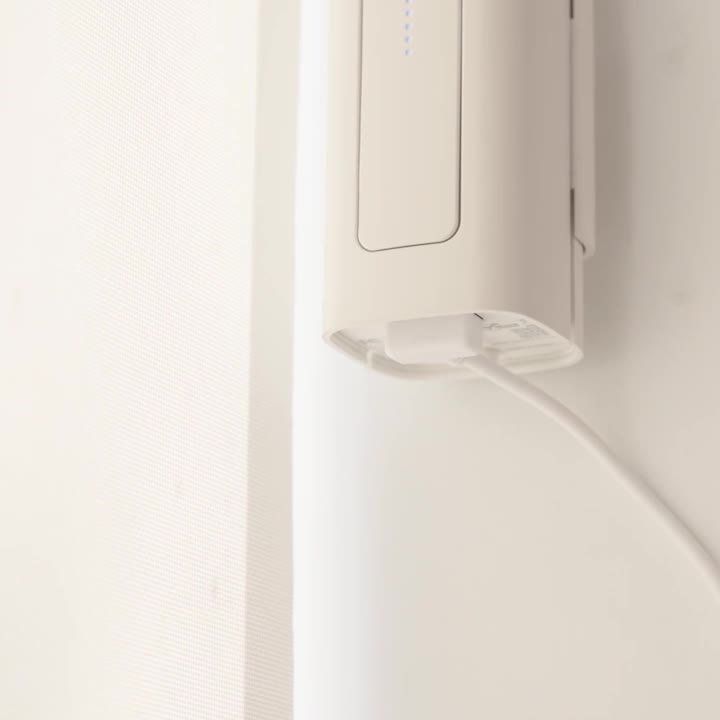
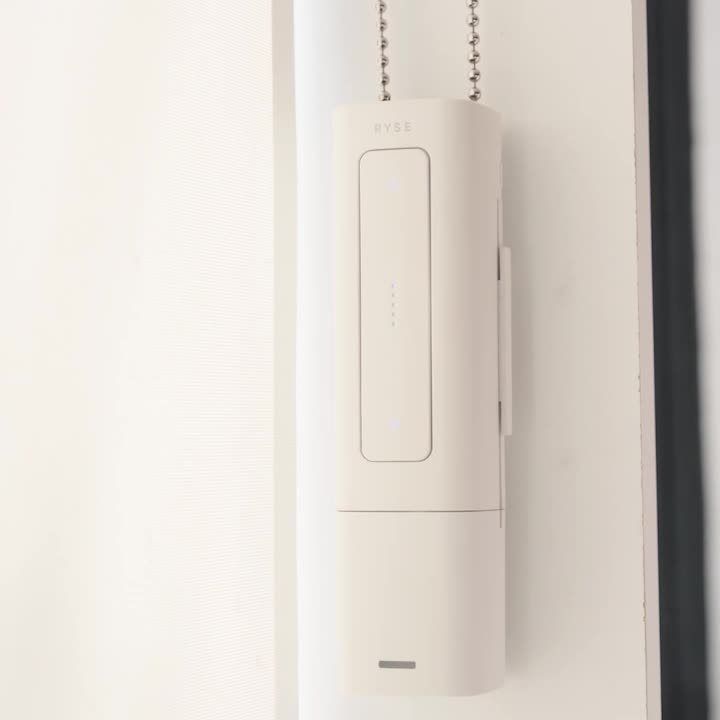
- Wired: cable goes into the bottom. Wire-free: a BatteryPack clicks on underneath.
- Two SmartCurtain units on one window: a center-opening layout.
04 Survey the site
Check every window against this list. If a check fails, you need a different part or a call to RYSE.
SmartShade windows
- Looped beaded chain (roller, zebra, Roman or vertical blinds). A cord loop works on vertical blinds only, with the Cord Accessories Kit from RYSE.
- Shade up to about 9×9ft or 10lb. Heavier shades work but move slower.
- At least 8in of free wall below the taut chain loop. If not, shorten the chain.
- Mount on a wall, wood frame or metal frame.
- Wired: a power outlet within the 9ft cable. If not, use Wire-free.
SmartCurtain windows
- Rod 15–40mm, or 17–38mm if lipped (lip 2mm or less).
- U-rail track needs the U-rail adapter from RYSE. I-rail tracks are not supported.
- Center-opening curtains need 2 units. The rod must be firmly fixed and the curtain must slide freely by hand.
- Grommet curtains, or rod-pocket curtains on a telescoping rod, can snag. Bring tethers or ask RYSE for the SmartCurtain Bungee.
SmartBridge
- Needed for schedules, remote access, sharing and voice assistants.
- Every motor within about 30ft, no obstructions. Concrete walls and metal doors cut range.
- 2.4GHz Wi-Fi (not 5GHz only), or a free router port for a cable.
05 Prepare for the job
Charge the day before
- SmartShade BatteryPack: use the Micro-USB cable and a USB wall plug (plug not in the box). Takes about 6 hours, so charge overnight. Orange = charging, green = full.
- SmartCurtain cells: they ship under 30%. Charge them fully in an external 18650 charger (not in the box).
- BatteryPack light while in use: green = full, yellow = top up soon, red = charge now.
Video: charging the BatteryPack

Video: How to charge your BatteryPack · Watch on YouTube
Test the SmartShade
Run the BIST on each SmartShade on the bench, before it goes on a chain. Steps and video are in Troubleshoot.
Bring
- #1 Phillips screwdriver, drill (1/8in cobalt bit for metal frames), stud and wire detector, pencil, pliers, cloth
- #6 sheet metal screws (1/2 or 3/4in) and spare wood screws
- 3M VHB double-sided tape; Command strips for renters
- Bead splicing tool for metal chains
- Stable ladder or step stool (never stand on sills, radiators or furniture), drop cloth, small vacuum, bags and labels
- Charged BatteryPacks, charged 18650 cells and the external charger
- Phone with the RYSE app (Bluetooth and Location on), and the customer's Wi-Fi name and password
06 Set up SmartBridge
Do this before pairing any motor. Use the customer's phone and RYSE account, not yours.
- Customer's phone on the 2.4GHz home Wi-Fi, RYSE app installed and signed in.
- In the app tap + → Add RYSE SmartBridge. Plug it in within ~30ft of the motors. When the left light is solid blue, tap Next.
- Select BR-0201. First time? Answer “No” to “already on Wi-Fi”.
- Choose Wi-Fi Connection (or Ethernet).
- iPhone only: choose “HomeKit and RYSE app” or “RYSE app only” (see the tip below).
- Join the RYSE-SmartBridge Wi-Fi in Settings, then go back to the app. With HomeKit, tap Take Me to HomeKit and scan the QR code on the base.
- Select the home network. The customer types the password. Wait for all three lights solid blue.
- Select the SmartBridge, set the time zone (routines depend on it) and tap Save.
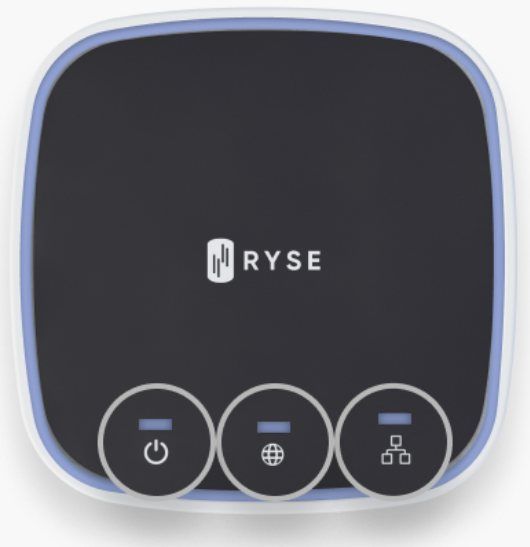
Video: SmartBridge setup over Ethernet
Video: Pairing the SmartBridge to the app (Ethernet) · Watch on YouTube
Where to put it
- About 30ft range with no obstructions. One SmartBridge runs up to 10 devices; one per Wi-Fi router is a good rule.
- Too far? Move the SmartBridge closer, or run a longer Ethernet cable.
- A Wi-Fi extender only works if it has an Ethernet port and extends the same network.
07 Install SmartShade
The chain must end up taut like a guitar string. A slack chain skips and the shade loses its positions.

Video: Installing SmartShade (RYSE tutorial) · Watch on YouTube
Open RYSE's interactive SmartShade guide →
Printable guides (PDF): Plug-in SmartShade · Battery SmartShade

1. Pick the position
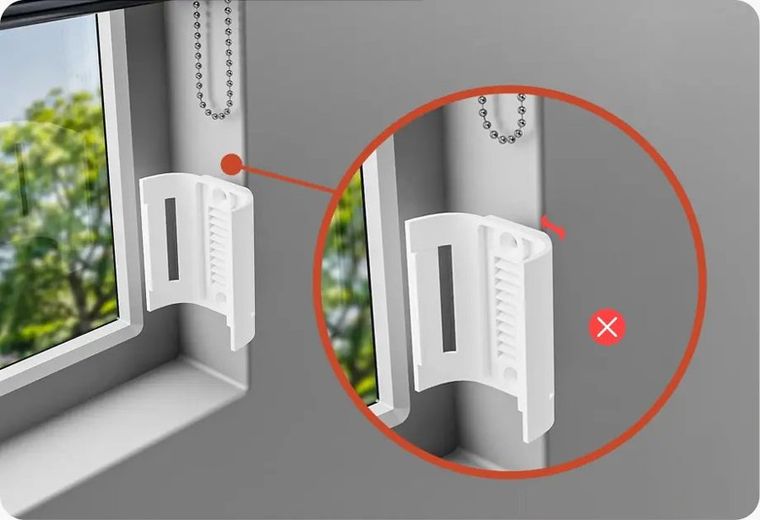
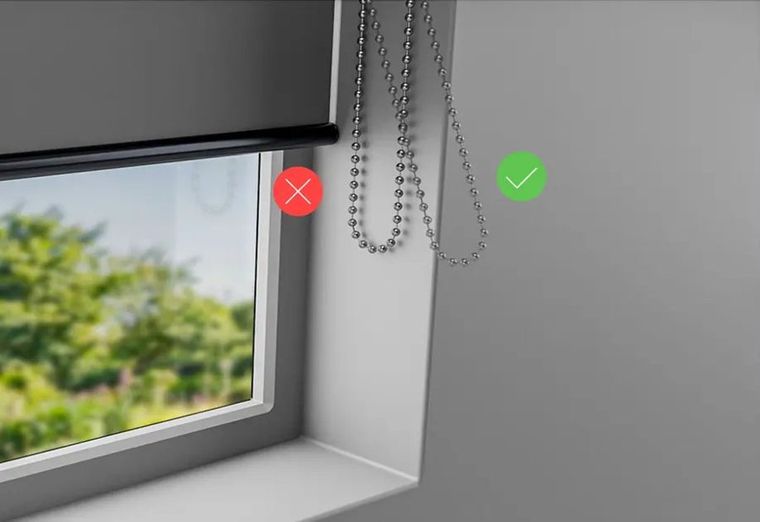
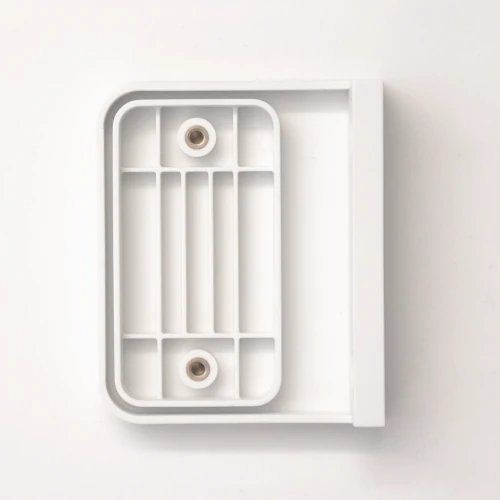
Pull the shade fully closed and hold the bracket to the wall. Check it clears the shade. No room, or the chain runs sideways? Use the extension bracket.
2. Prep the chain
- Remove ball stoppers (pliers if needed).
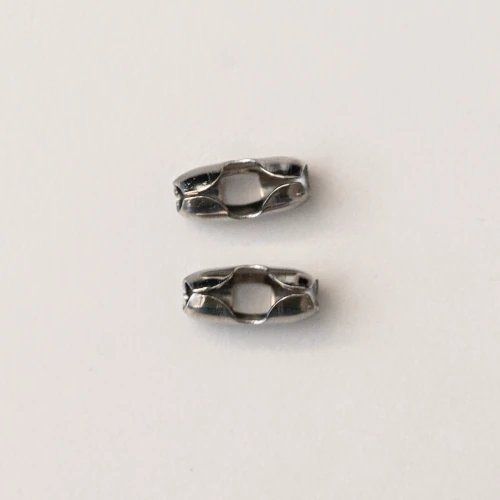
- Unscrew cord tensioners. If one won't come off, cut the chain either side of it and rejoin it with a RYSE bead connector.
- Replace any other bead connector with the RYSE one from the box.
Video: removing attachments from the chain

Video: Removing ball stoppers, connectors and cord tensioners · Watch on YouTube
3. Mark the height
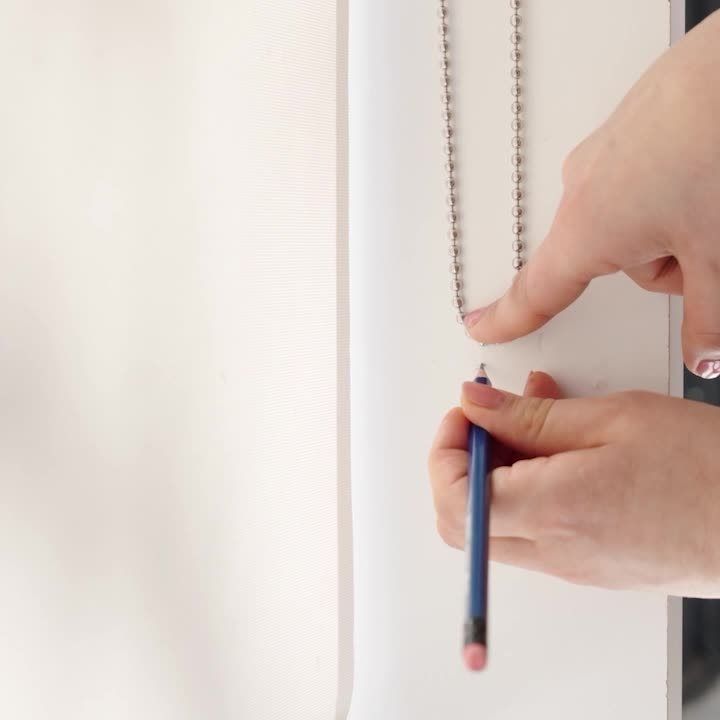
Pull the shade fully down. Hold the chain taut against the wall and mark just below the bottom of the loop. Leave at least 8in of space below the mark.
4. Fix the bracket
Screw mount (drywall, plaster, wood)
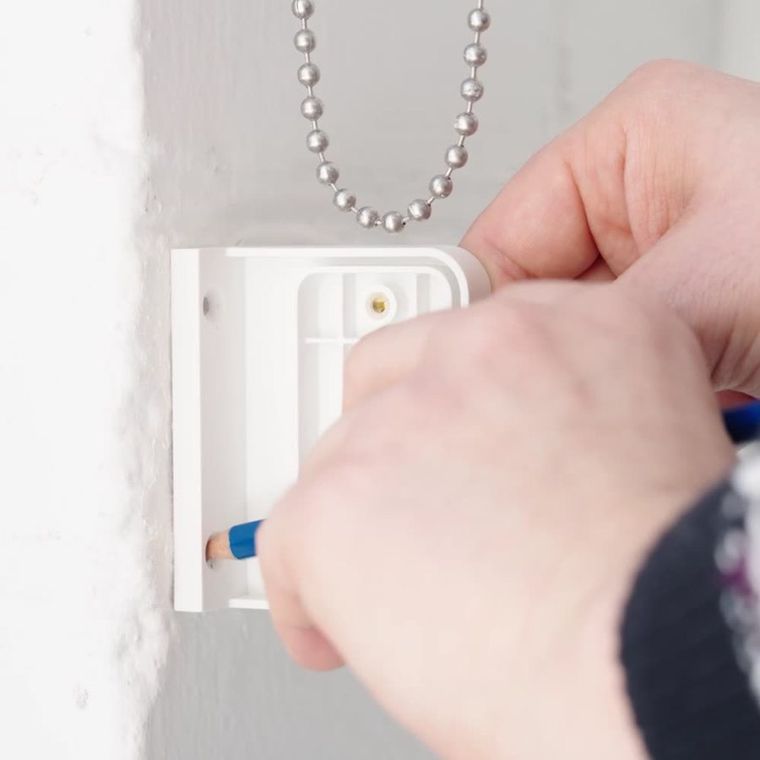
- Put the top of the bracket on the mark, clear of the shade's travel. Mark both screw holes.
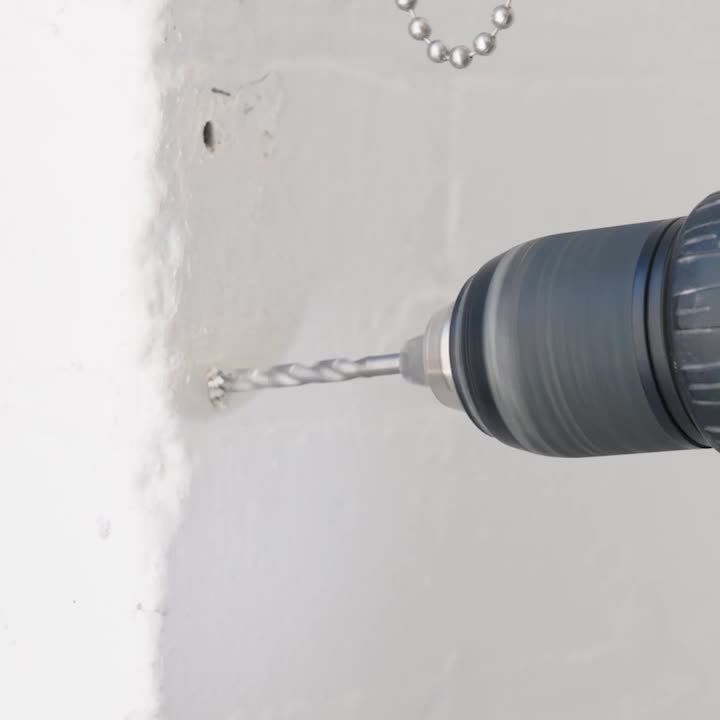
- Drill the holes. Use anchors to suit the wall.
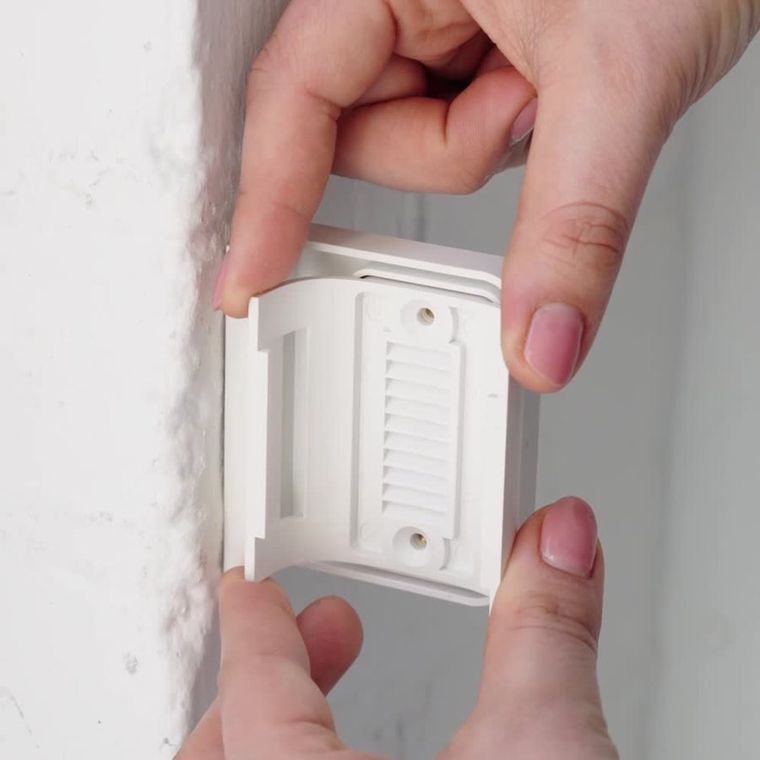
- Fit the top screw, check the bracket is straight, then fit the bottom screw.
Tape mount: the default for metal frames, or when you can't drill. Not for brick or concrete.
- Cut 3M VHB tape to the width of the bracket back and press it on.
- Peel the cover, line the top of the bracket up with the mark, and press on straight.
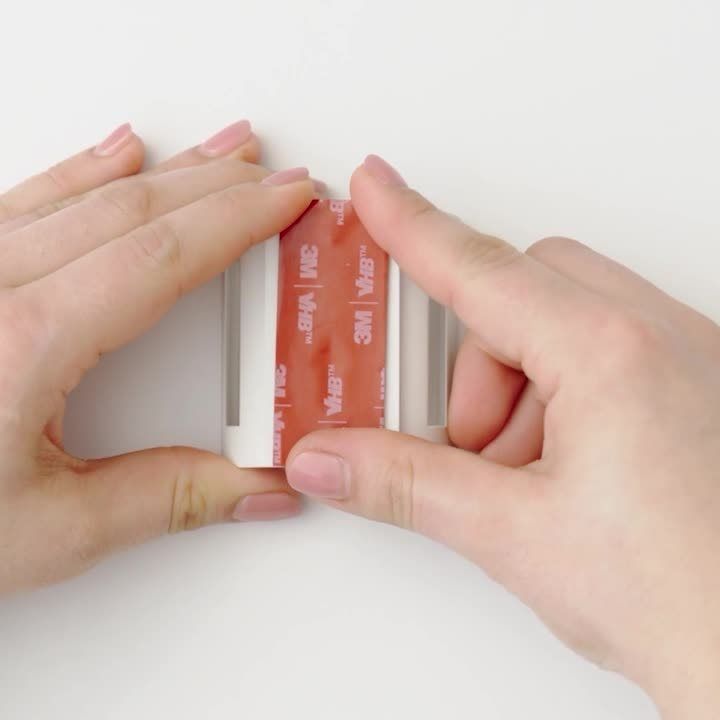
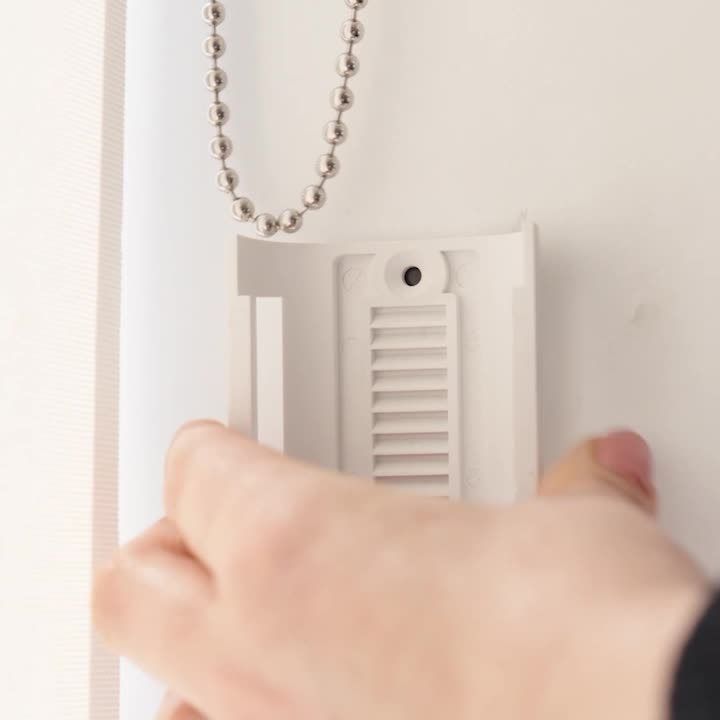
Using the extension bracket? Fix its narrow side to the mark, then fit the bracket onto it with the “Face Up” text upwards. On metal frames, use screws only if you are sure of the position.
5. Fit the chain
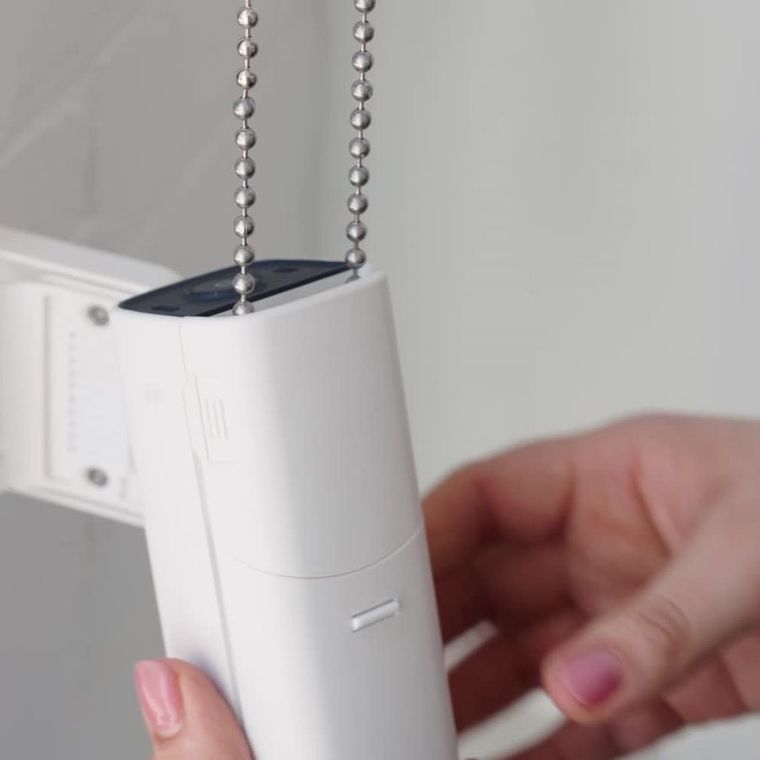
Open the back cover (press both sides, pull back and out). Slide the chain under the sprocket, above the bottom guide rail, and wrap it round the sprocket. Refit the cover.
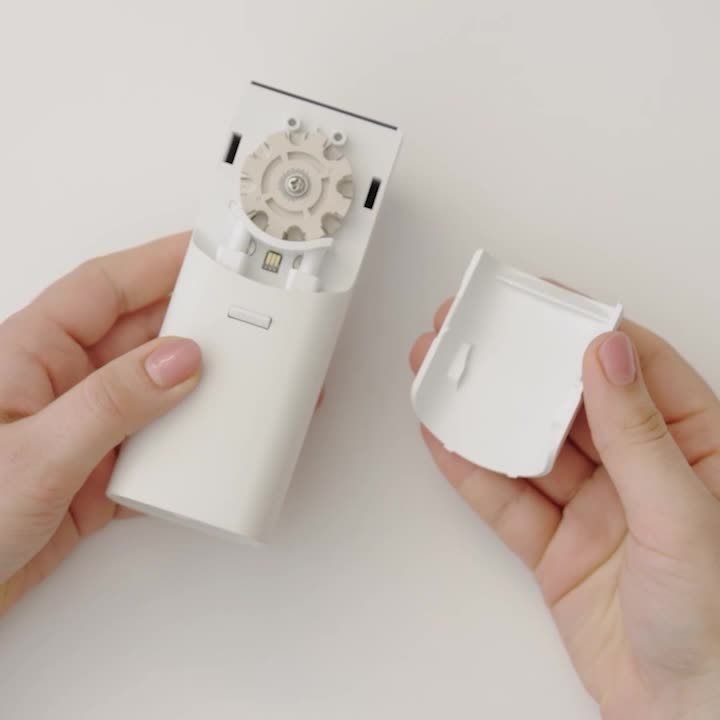
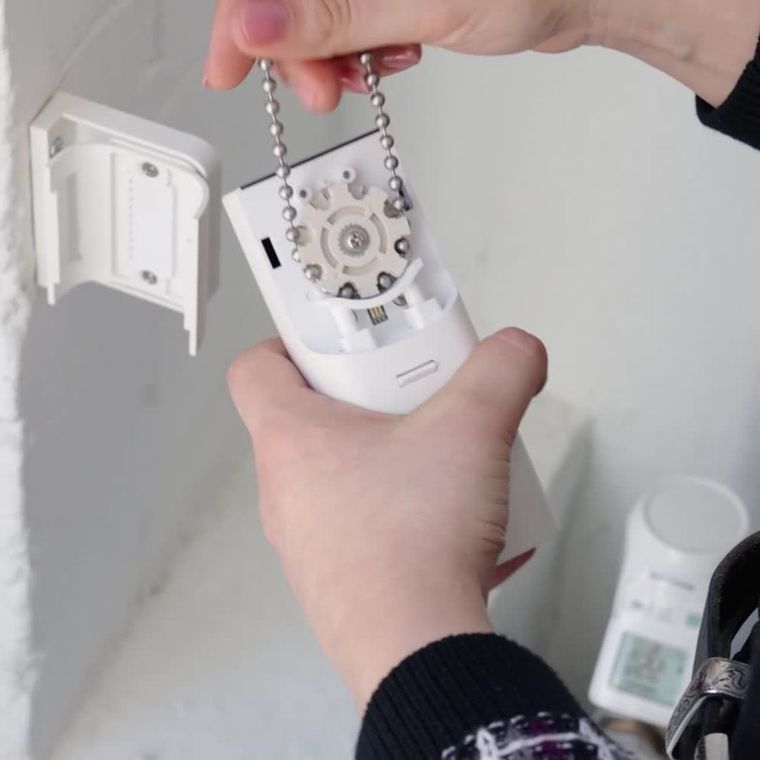
6. Mount and power
- Raise the shade fully by hand.
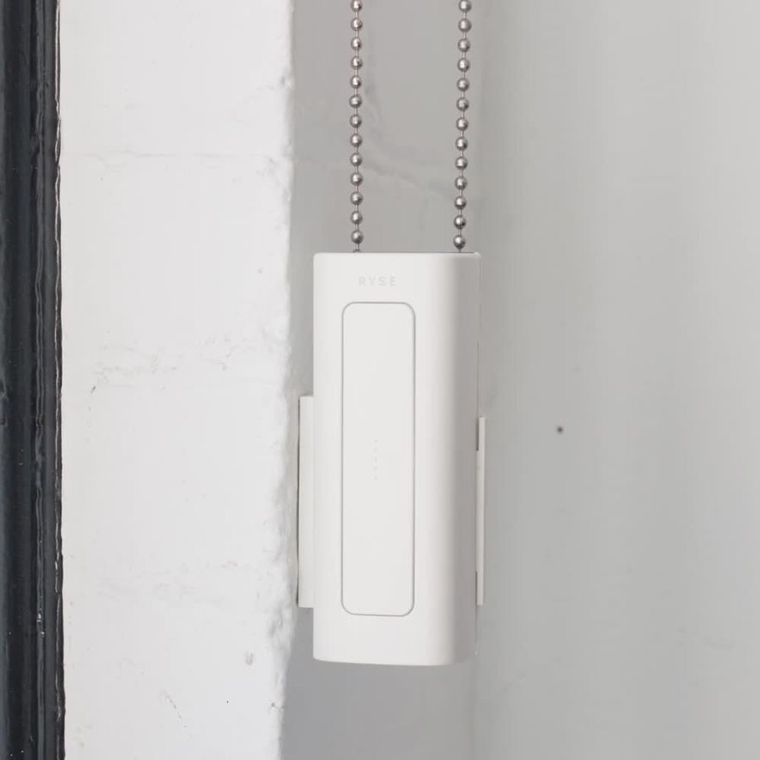
- Clip the motor onto the bracket and pull it down until the chain is taut. Slack? Slide the motor lower.
- Wired: plug the adapter into the bottom and the wall. Clip the cable along an agreed route with no hanging loops. Wire-free: click on a charged BatteryPack.
- In the app, start Add RYSE SmartShade. It walks you through calibrating, then pairing (next section).
Special cases
Chain too long
Metal chain: splice it with a splicing tool so there is no connector.
Plastic chain: raise the shade fully and tape off the part that runs through the top clutch. Cut beads only outside the tape and rejoin with the RYSE connector.

Video: Joining a metal chain with a bead splicing tool · Watch on YouTube
Cord loop (vertical blinds only)
Needs the Cord Accessories Kit from RYSE. Follow the five short videos.
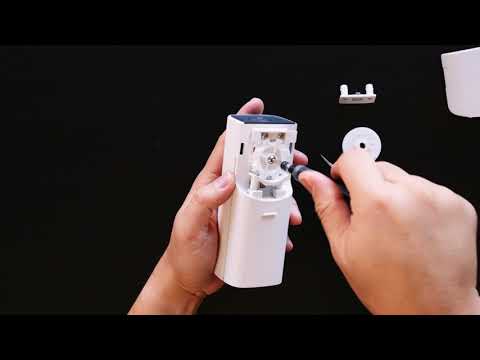
Video: 1. Remove the beaded-chain sprocket wheel · Watch on YouTube

Video: 2. Swap in the cord guide rail · Watch on YouTube

Video: 3. Attach the cord loop sprocket wheel · Watch on YouTube

Video: 4. Tape the cord loop · Watch on YouTube

Video: 5. Attach the SmartShade to the cord loop · Watch on YouTube
Top guide rail not attached
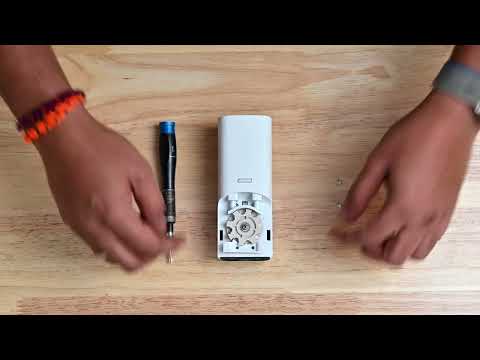
Video: Top guide rail installation · Watch on YouTube
Removing the motor
Unplug power first. Hold the quick-release button underneath the whole time you lift the motor off, or you can break the mount.
08 Calibrate and pair SmartShade
Start with the shade fully open and set the top first. The motor must be on the bracket and chain.
- Hold SET for 3 seconds. Up arrow blinks, down arrow solid blue: calibration mode.
- Tap UP. If the shade closes instead of opening, hold PAIR for 3 seconds to reverse it, then tap UP again. This only works in calibration mode.
- Hold UP to the top position you want (stop before the bottom bar hits the headrail). Press SET.
- Hold DOWN to the bottom position you want. Press SET. Both arrows go solid blue.
- In the app tap Next, choose SmartBridge, tap it, press PAIR on the motor, name it and set the speed.
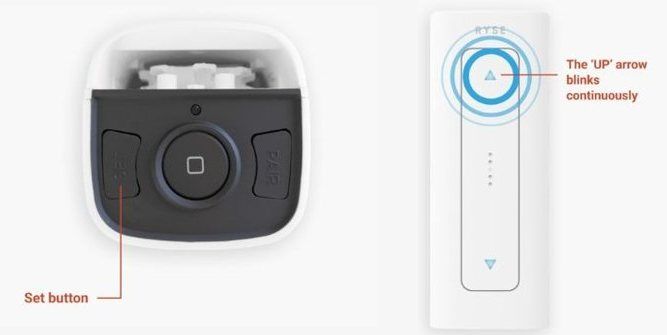
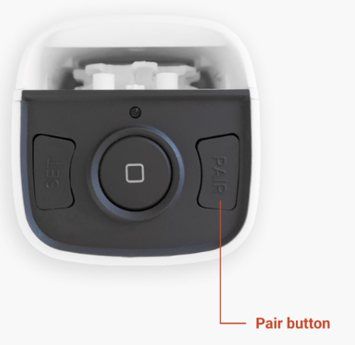

Video: Calibrating the top and bottom positions · Watch on YouTube

Video: Pairing SmartShade via SmartBridge · Watch on YouTube
No SmartBridge? Pair each motor to the phone by Bluetooth (default name RZSS). Groups of up to 4, no schedules, no voice.
Video: pairing by Bluetooth

Video: Pairing SmartShade to the app via Bluetooth · Watch on YouTube
09 Install and pair SmartCurtain
Charge the 18650 cells fully first. Then fit the batteries and pair before hanging the motor, because the PAIR button is hard to reach once it's behind the pleats.

Video: Installing SmartCurtain (RYSE tutorial) · Watch on YouTube
Open RYSE's interactive SmartCurtain guide →
Printable guides (PDF): Curtain rod · Curtain track
1. Fit the batteries
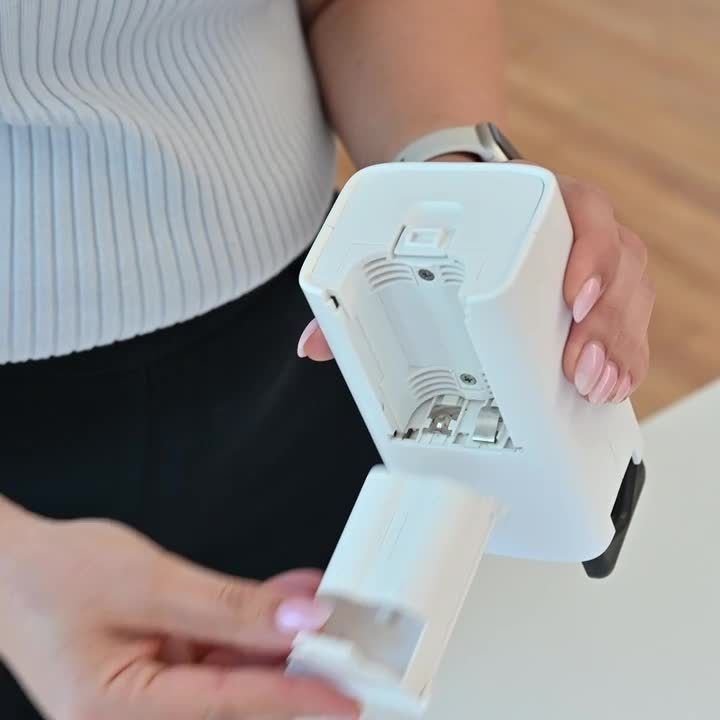
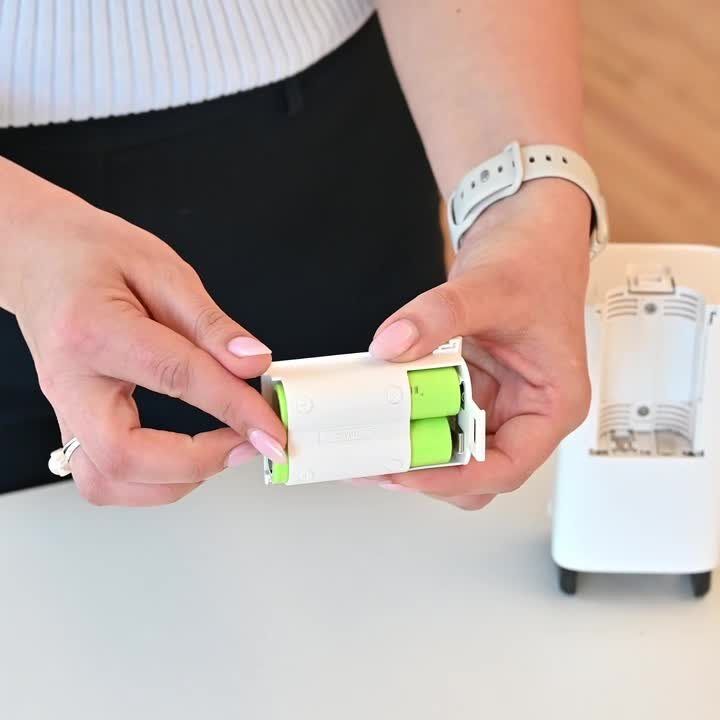
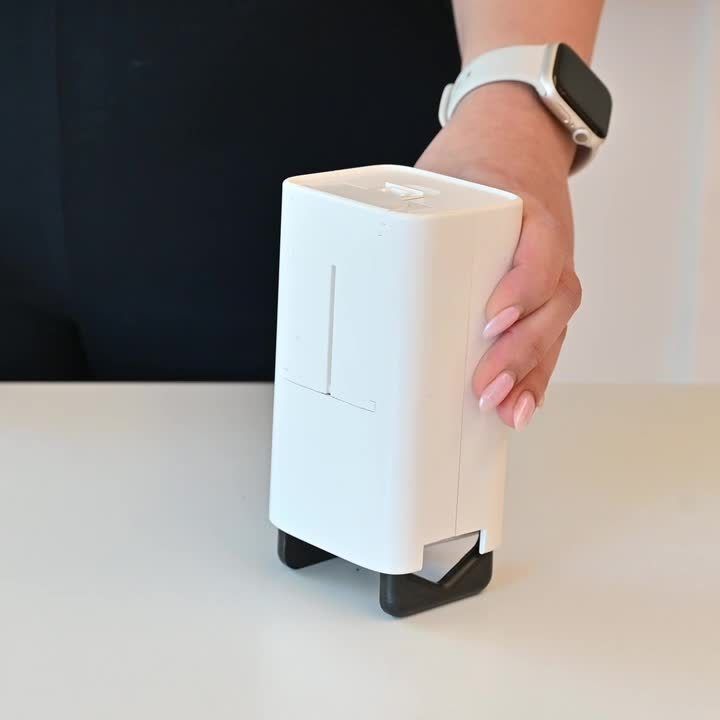
Lift the latch at the bottom, swing the battery holder out to 90° and pull it free. Insert the cells matching + and −. Swing the holder back until it clicks.
2. Pair in the app
- Add a Device → RYSE SmartCurtain. Tap Skip on the battery steps.
- Choose SmartBridge (already set up) or Bluetooth.
- Press PAIR on the front. The light pulses blue; a green tick means paired.
- Name the window and pick the layout: closes left, closes right, or down the middle (2 units; the app repeats the steps for unit two).
3. Prepare the rod and carabiners
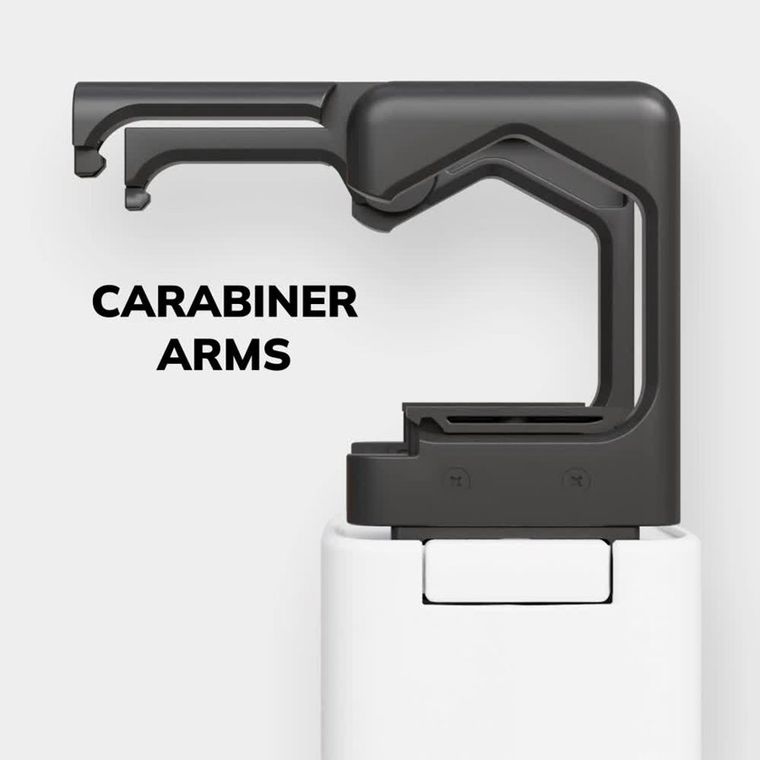
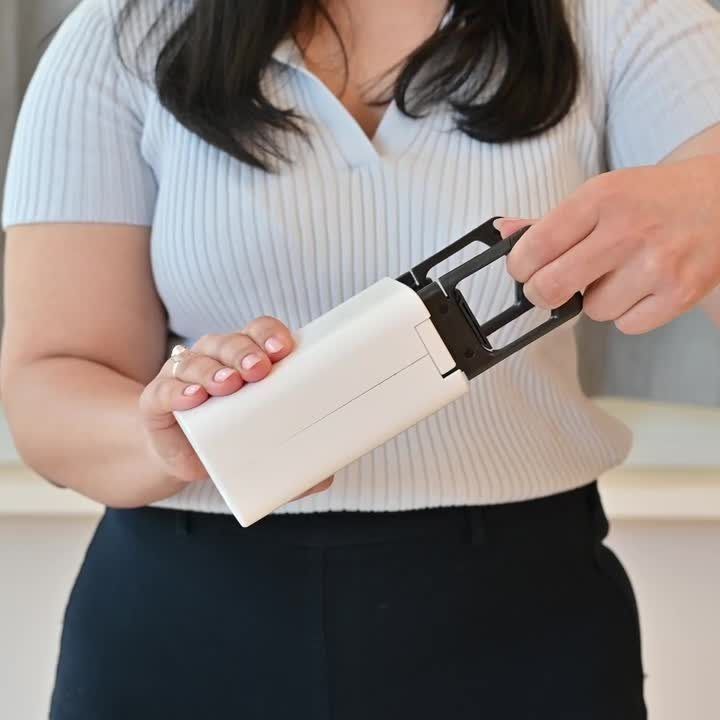
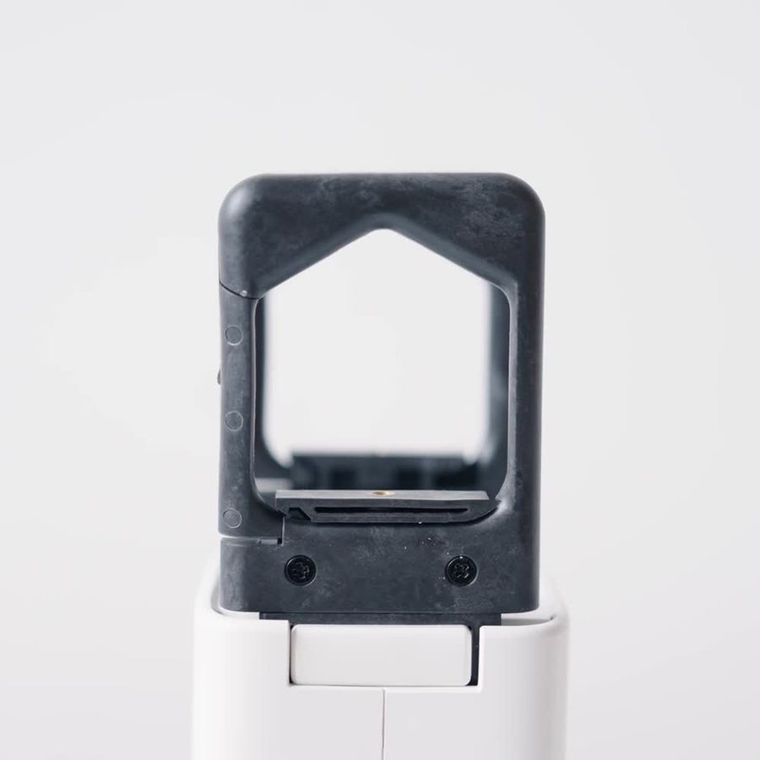
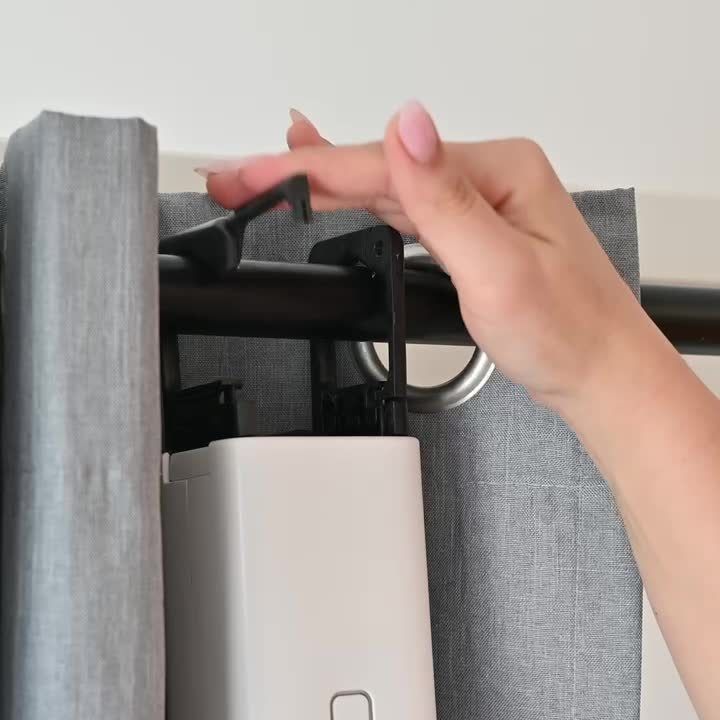
Check the rod is secure. Lift each carabiner until the lock clicks, then push down to test it. If an arm collapses, lift it again. With the front facing you, press the top of each carabiner and swing the arm open.
4. In front of or behind the pleats?
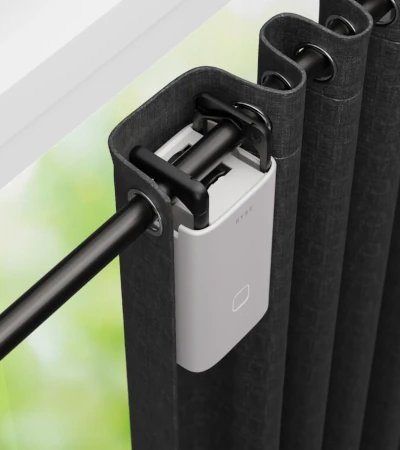
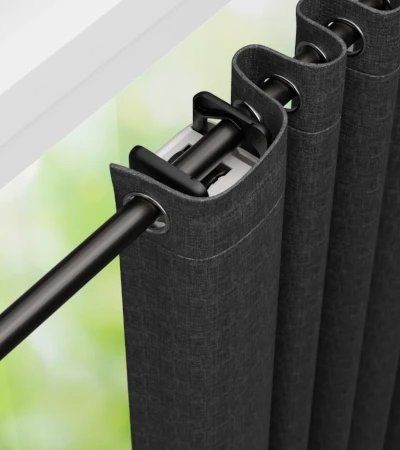
- In front: easiest, and the lights stay visible.
- Behind: hides the motor, but the lights are hidden and you go behind the curtain for batteries and resets. Check there is room between rod and wall.
5. Hang it on the rod
- Line the motor up with the gap between the first two pleats.
- Hook both carabiners over the rod and close each arm until it clicks.
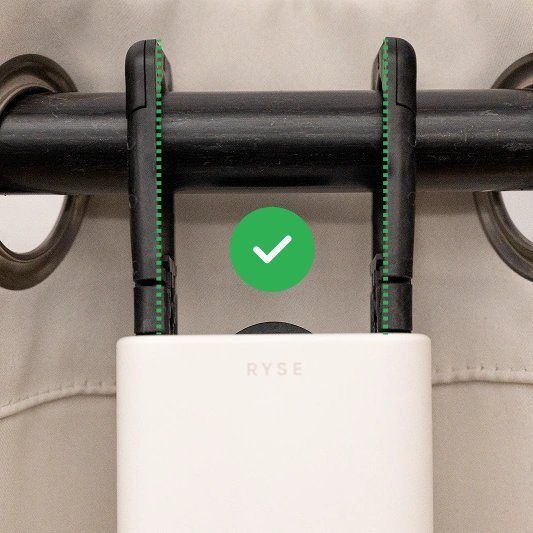
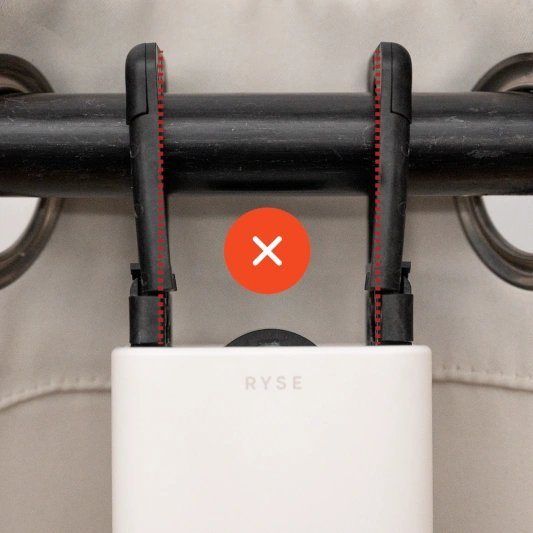
- Seen head-on, the arms must form a straight line with the arm lock.
- Hold both sides and pull down until you feel tension. Press both carabiner locks together and guide the motor up to the rod.
6. Fit the metal tape
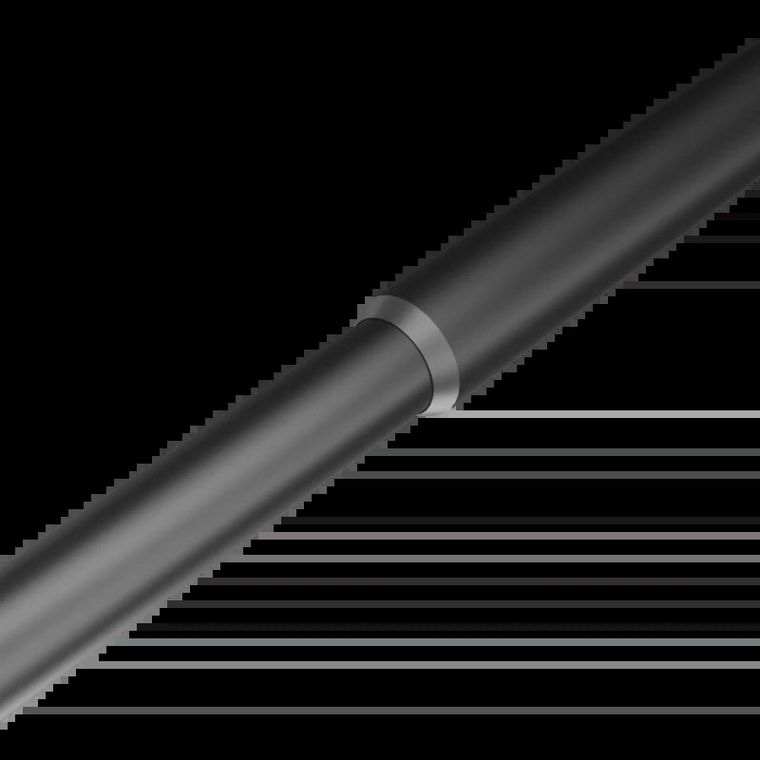
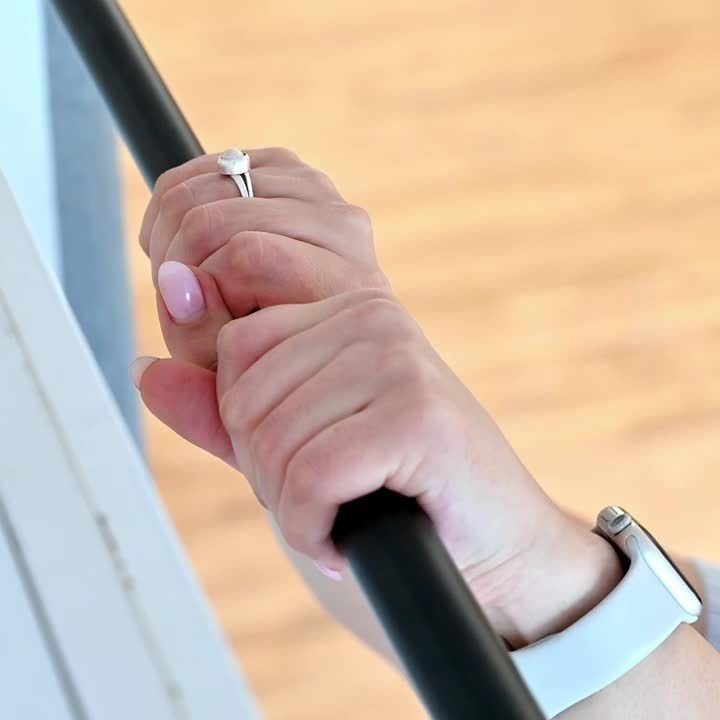
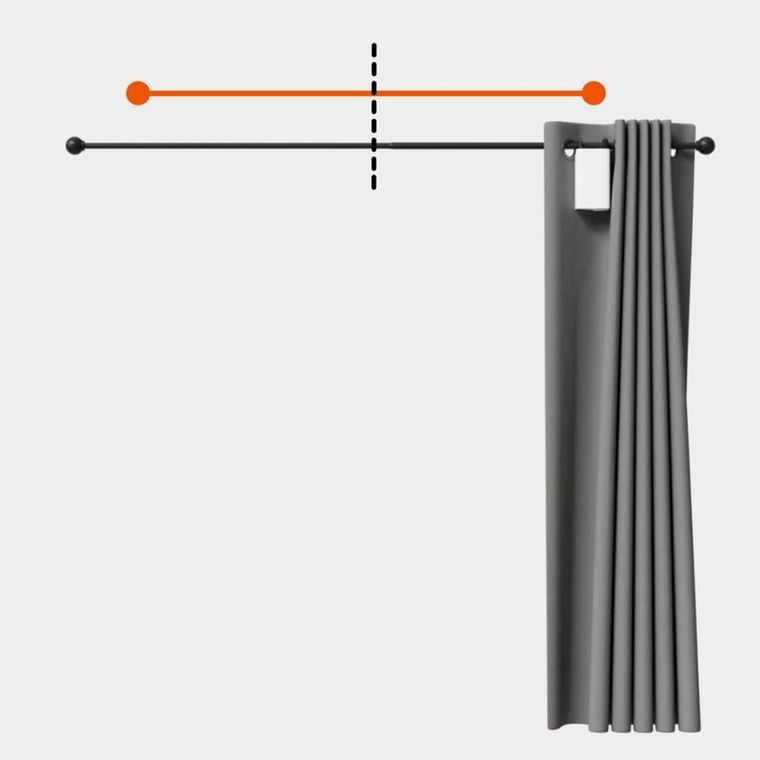
The motor needs the tape from the box to hold its positions. Wipe the rod clean and press the tape on firmly.
- Rod with a lip: tape on the lip.
- Rod without a lip: tape on top of the rod, halfway along the rod for one curtain, or halfway along each motor's travel for two.
7. Set the positions
- At “Installation Complete”, tap the X.
- The light cycles red, green, blue. Set fully open, tap Select. Set fully closed, tap Select. Tap Done.
- Two-curtain window? Tap the chain icon on the window screen to link them.
Batteries: charge cells only in an external 18650 charger. Never open the body beyond the battery compartment.
10 Pair buttons and remotes
Calibrate every motor first. Buttons and remotes pair straight to the motor, so they keep working after a phone change.
| SmartButton | Remote Control | |
|---|---|---|
| Works with | SmartShade and SmartCurtain | SmartShade and SmartCurtain |
| Limits | Up to 4 motors | Up to 10 devices in total, 4 per channel |
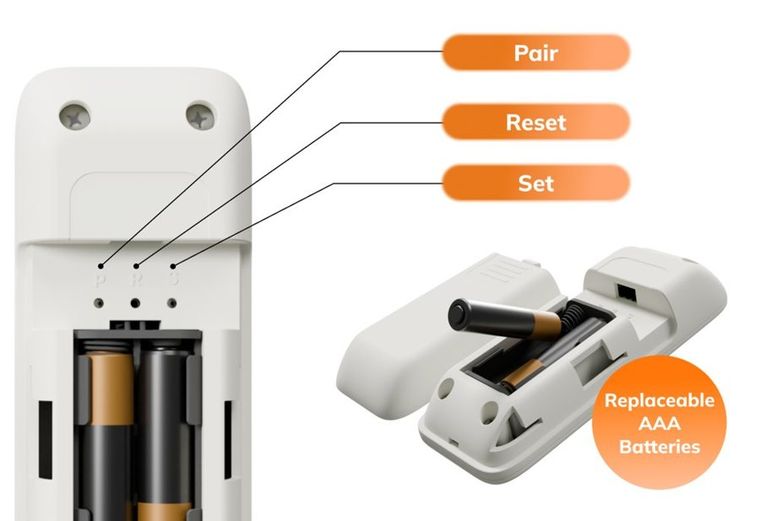
| Start pairing | Hold UP + DOWN for 3s. Green light blinks | Battery cover off. Press PAIR once with a paperclip. Blue light blinks |
| Then | Press PAIR once on the motor | Press PAIR on the motor. Remote light goes solid |
| Factory reset (clears all) | Hold the back RESET button until the lights flash | Paperclip on RESET for over 3s |
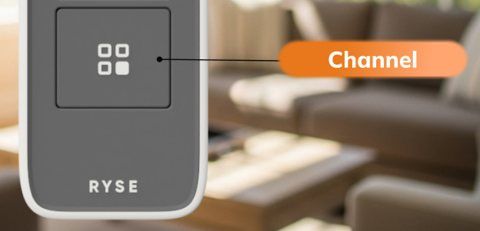
- Remote channels: it ships locked to one channel. For four rooms, switch to multi-channel (battery cover off, hold CHANNEL and press RESET). Going back to single-channel needs a factory reset that wipes every pairing, so choose before pairing.
- Remote needs SmartShade firmware 5.0.0+ and SmartCurtain firmware 2.0.0+.
- Remote battery check: hold STOP for over 1 second. 1–4 lights show the charge.
11 Link voice assistants
Alexa, Google Home and Apple Home all need the SmartBridge, with every motor already paired to it. Link them on the customer's phone and accounts.
| Platform | How to link | Watch out for |
|---|---|---|
| Apple Home | Home app → Add Accessory → scan the QR code on the SmartBridge base → assign rooms | Uses the names from the RYSE app |
| Alexa | Skill “RYSE SmartHome” → sign in with the RYSE login → Discover Devices | Add shades one at a time. RYSE groups don't carry over; make groups in the Alexa app |
| Google Home | Works with Google → “RYSE SmartShades” → sign in | Bluetooth-only motors never appear. No group commands |

Video: Connecting to Amazon Alexa · Watch on YouTube

Video: Connecting to Google Home · Watch on YouTube

Video: Connecting to Apple HomeKit · Watch on YouTube
Show the customer one voice command, such as “Alexa, open [name]”, “close [name]”, or “set [name] to 40 percent”.
12 Hand over to the customer
Don't leave until every box is ticked, with the customer watching.
- Every motor runs 3 full open/close cycles from the app with no clicking, skipping or snagging, and stops where set each time.
- Each motor is named by room in the app.
- SmartBridge shows all three lights, the time zone is set, and household members are added under Users if wanted.
- Voice assistant linked and tested with one command, if bought. Buttons and remotes tested on every paired motor.
- Customer shown the on-motor UP/DOWN/STOP buttons, and the gentle tug to open or close a SmartCurtain.
- Customer shown how to charge: BatteryPack by Micro-USB until green (about every 6 months); SmartCurtain cells in an external 18650 charger only.
- Customer told not to hang anything on the chain, and to clean with a damp cloth only.
- Order number, serial numbers and a photo of each install noted for warranty.
- Customer has the support details. Work area vacuumed, packaging removed, removed chain parts bagged for them.
Videos to show the customer: routines and groups

Video: Creating routines · Watch on YouTube

Video: Creating groups · Watch on YouTube
Common customer questions
| Question | Answer |
|---|---|
| How long does the BatteryPack last? | Up to 6 months per charge, depending on use |
| Does it work without Wi-Fi? | Yes, from the motor's buttons, SmartButtons and remotes. App control without Wi-Fi works only for Bluetooth-paired motors |
| I got a new phone | With a SmartBridge: sign in to the same RYSE account. Bluetooth only: pair again |
| Who do I contact? | support@helloryse.com, 8 AM–6 PM Eastern |
13 Troubleshoot
Try the quick fixes in order. Get the customer's OK before any reset: it wipes positions, pairing and routines.
| Symptom | Likely cause | Fix |
|---|---|---|
| Shade opens when you press down | Direction reversed | In calibration mode, hold PAIR for 3s, then recalibrate |
| Shade drifts, stops short or forgets positions | Chain slack or skipping at the connector | Re-tension the chain, check the motor sits low and locked, splice a metal chain, recalibrate |
| Clicking or loud noise at one spot | Bead connector passing the sprocket | Metal chain: splice out the connector. Plastic chain: refit the RYSE connector outside the clutch |
| Shade stops on its own | Obstacle detection | Clear the chain and send a new command |
| SmartShade dead or erratic | Fault or bad settings | Delete it from the app, take it off the chain, run the BIST |
| BatteryPack won't power the motor | Flat or not seated | Charge until green; push on until it clicks |
| SmartCurtain blinking red | Low battery, obstacle or calibration error | Charge cells, clear the rod, redo positions in the app |
| SmartCurtain loses positions | Metal tape missing or misplaced | Refit the tape |
| Curtain sticks or bunches | Grommets twisting, telescoping rod | Tether or SmartCurtain Bungee |
| Google Home linked, no devices | Motors on Bluetooth only | Pair the motors to the SmartBridge, then relink |
SmartBridge and Wi-Fi problems
| Symptom | Likely cause | Fix |
|---|---|---|
| Motor misses SmartBridge commands | Out of range, or walls in the way | Move the SmartBridge closer; longer cable; extender with an Ethernet port |
| App can't find the SmartBridge | Phone and SmartBridge on different networks | Put both on the same network; else add by IP |
| Home Wi-Fi not listed in setup | Phone using mobile data | Turn mobile data off and retry. Or use a laptop on the SmartBridge's Wi-Fi and browse to mybridge |
| Motor reset while still on the SmartBridge | SmartBridge still lists the old pairing | Delete it in the app (Force Delete if offline), then re-add |
Factory resets
- SmartShade: pen in the pinhole behind STOP, hold until the red flash, release. Recalibrate and re-pair.
- SmartCurtain: delete from the app, then hold the small button under PAIR with a pen for a few seconds. Light flashes blue, red, then pulses blue.
- SmartBridge: delete it from every account first, then hold the back pinhole for 10s.
SmartShade BIST (off the chain)
The BIST tests the motor and factory resets it. Run it before the motor goes on a chain.

Video: Built-In Self-Test (BIST) on a SmartShade · Watch on YouTube
- Unplug the adapter or pull off the BatteryPack. Hold STOP + PAIR, plug power back in, release. Five lights red, motor twitches.
- Up arrow lights: press UP once. Down arrow lights: press DOWN once.
- Lights 1 and 5: press PAIR. Lights 2 and 4: press SET. Middle light: press the reset pinhole.
- All lights blue: done. Now install, calibrate and pair.
14 Warranty, returns and escalation
- Warranty: 1-year limited warranty for original purchasers in the US and Canada. RYSE decides whether to repair, replace or refund. Claims need an RMA number and proof of purchase. Other countries aren't covered: send the case to RYSE HQ Support and promise nothing.
- Returns: within 30 days of purchase, with every part in original condition and packaging. helloryse.com orders carry a restocking fee (currently $10 USD). Retailer purchases (Amazon, Best Buy) go back to the retailer.
- Parts: ask RYSE HQ Support for the U-rail adapter, Cord Accessories Kit or SmartCurtain Bungee. Spare screws are standard sizes: buy locally.
Escalate to RYSE HQ Support when
- The BIST fails or the motor stays dead.
- A part is broken, missing or arrived damaged.
- The chain still skips after re-tensioning and splicing.
- The SmartCurtain needs the U-rail adapter or SmartCurtain Bungee.
- Anything is hot, smoking, swelling or smells burnt. Stop using it, unplug if safe and don't charge it. For fire or smoke, call emergency services first.
Email support@helloryse.com with: customer name and email, order number, country, product and model, serial number, a photo of the install, and what you tried.